GeoParquet
The open standard for features and their attributes: compact, quick to query, opened directly by DuckDB, QGIS, Python, BigQuery and more.
Geobox turns your geodata into cloud-native formats, and publishes the cloud-native files you already make as they are: open standards that maps, QGIS, Python and the cloud read directly, piece by piece, with no server in between. Fast maps for you, ready-to-use data for everyone else.
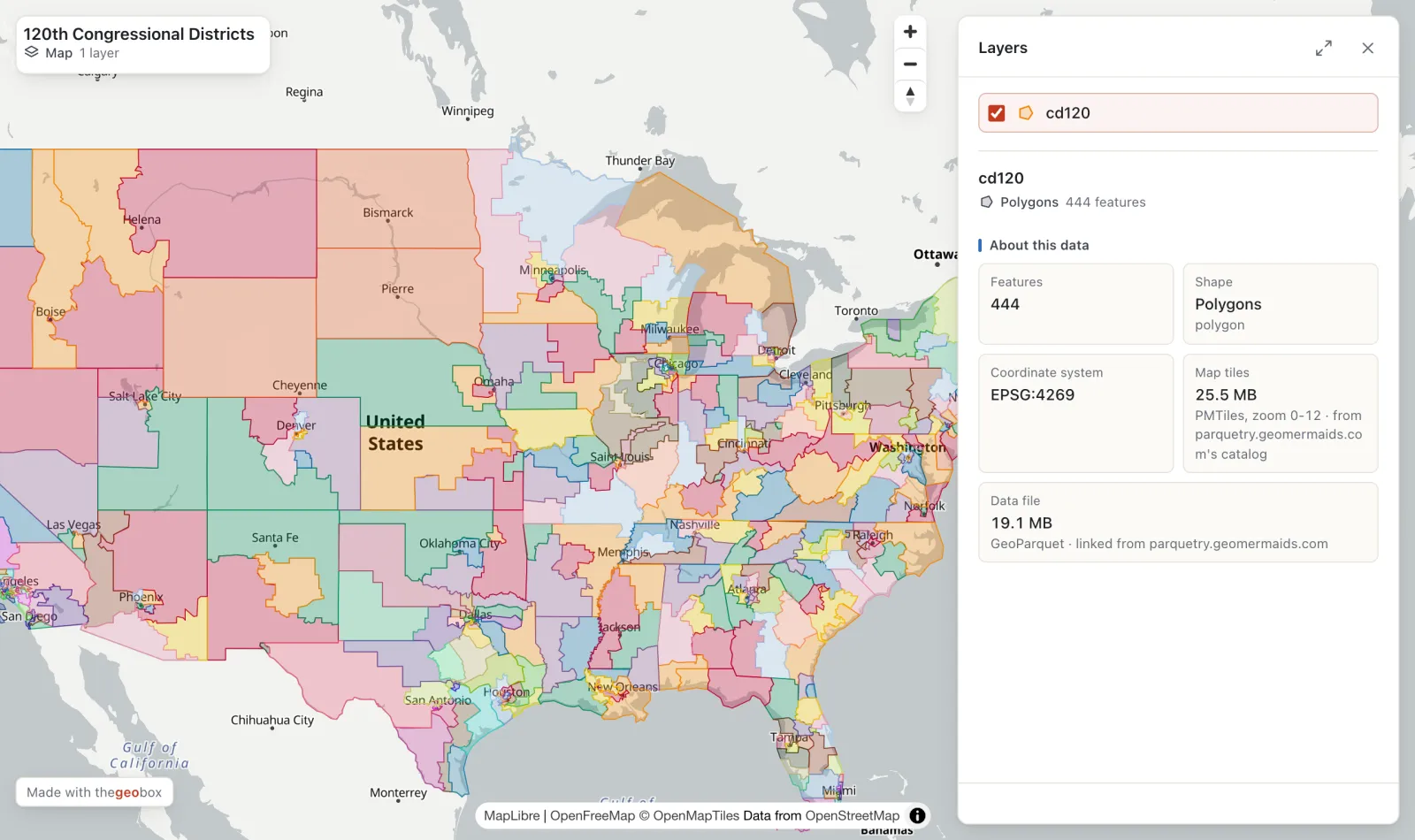
Why cloud-native
Classic GIS files have to be downloaded whole, or put behind a map server someone must run. Cloud-native formats are organised so that each tool reads only the part it needs, straight from where the file is stored. Faster, cheaper, and nothing to maintain. Geobox makes them for you, with the right settings.
The open standard for features and their attributes: compact, quick to query, opened directly by DuckDB, QGIS, Python, BigQuery and more.
Satellite images, elevation and other rasters, read tile by tile at any zoom. The format of the big open archives, such as Sentinel-2.
A whole map in one file, fast at every zoom even with millions of features, and no tile server to set up.
Already have cloud-native files online? Link them: Geobox reads them where they are, without copying them.
How it works
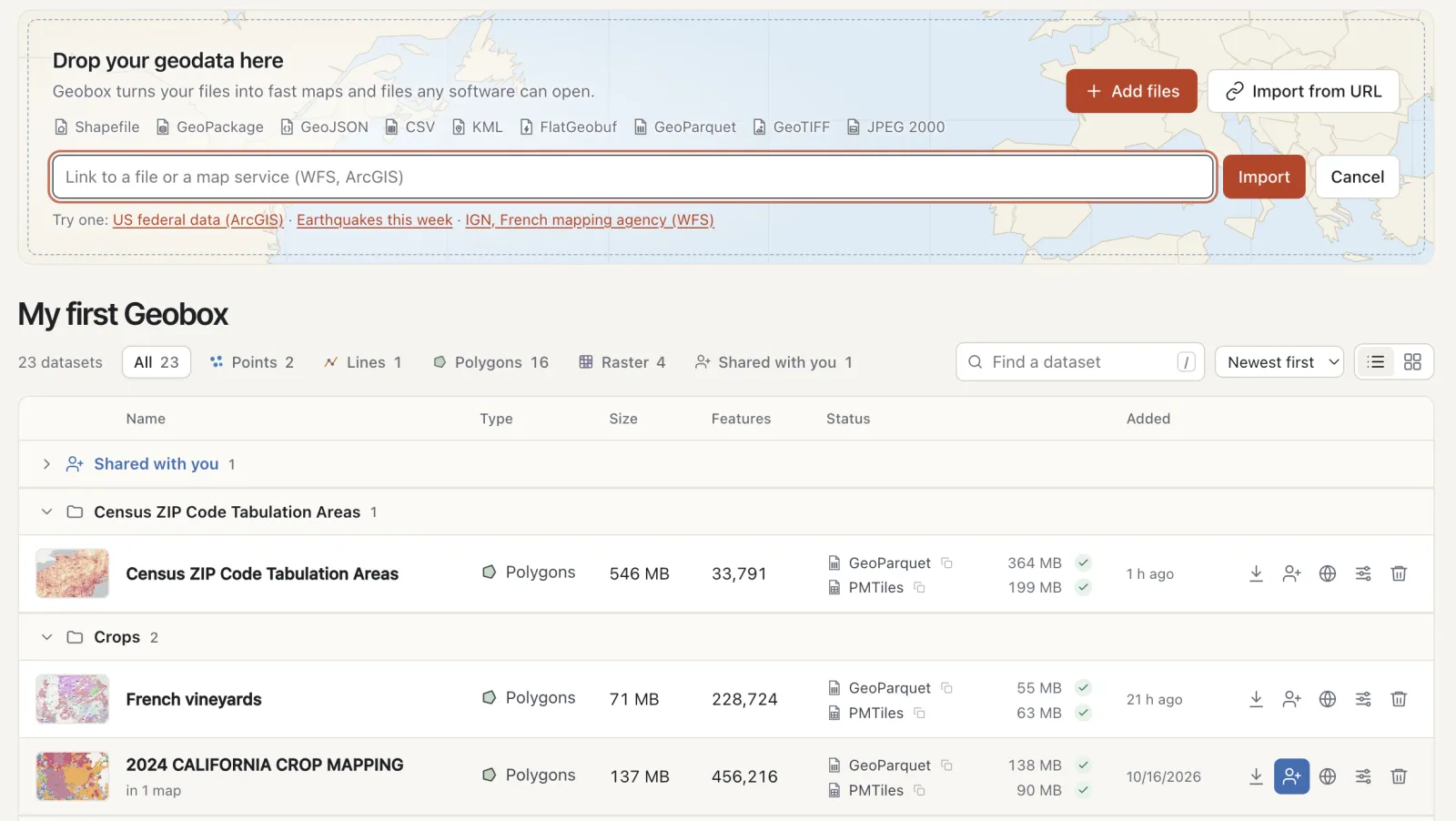
Shapefile, GeoPackage, GeoJSON, CSV, KML, GeoTIFF, JPEG 2000… or a link to a file, a map service (WFS, ArcGIS) or a STAC catalog. Geobox converts each one to cloud-native formats, and keeps your original.
Add free Sentinel-2 satellite images of any place, linked and using no space. Group your datasets by theme, see how big each one is and what it holds, and keep services up to date automatically.
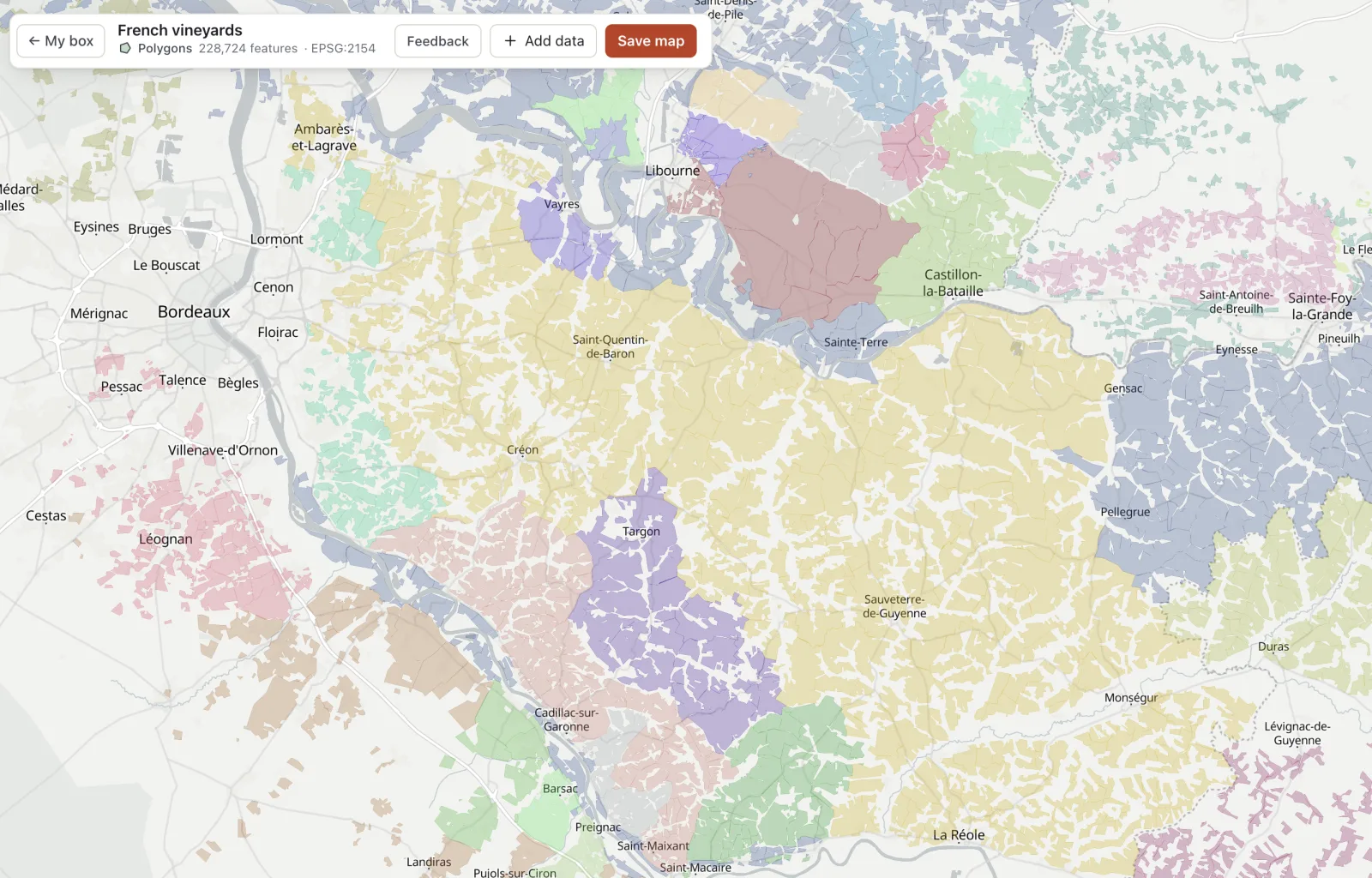
Millions of features on a map in seconds, in your browser, with nothing to install. Click any feature to read all its details, combine layers into maps.
Here, the 228,724 vineyard parcels of France's wine appellations, imported from the national mapping agency's map service and coloured by appellation, around Bordeaux.
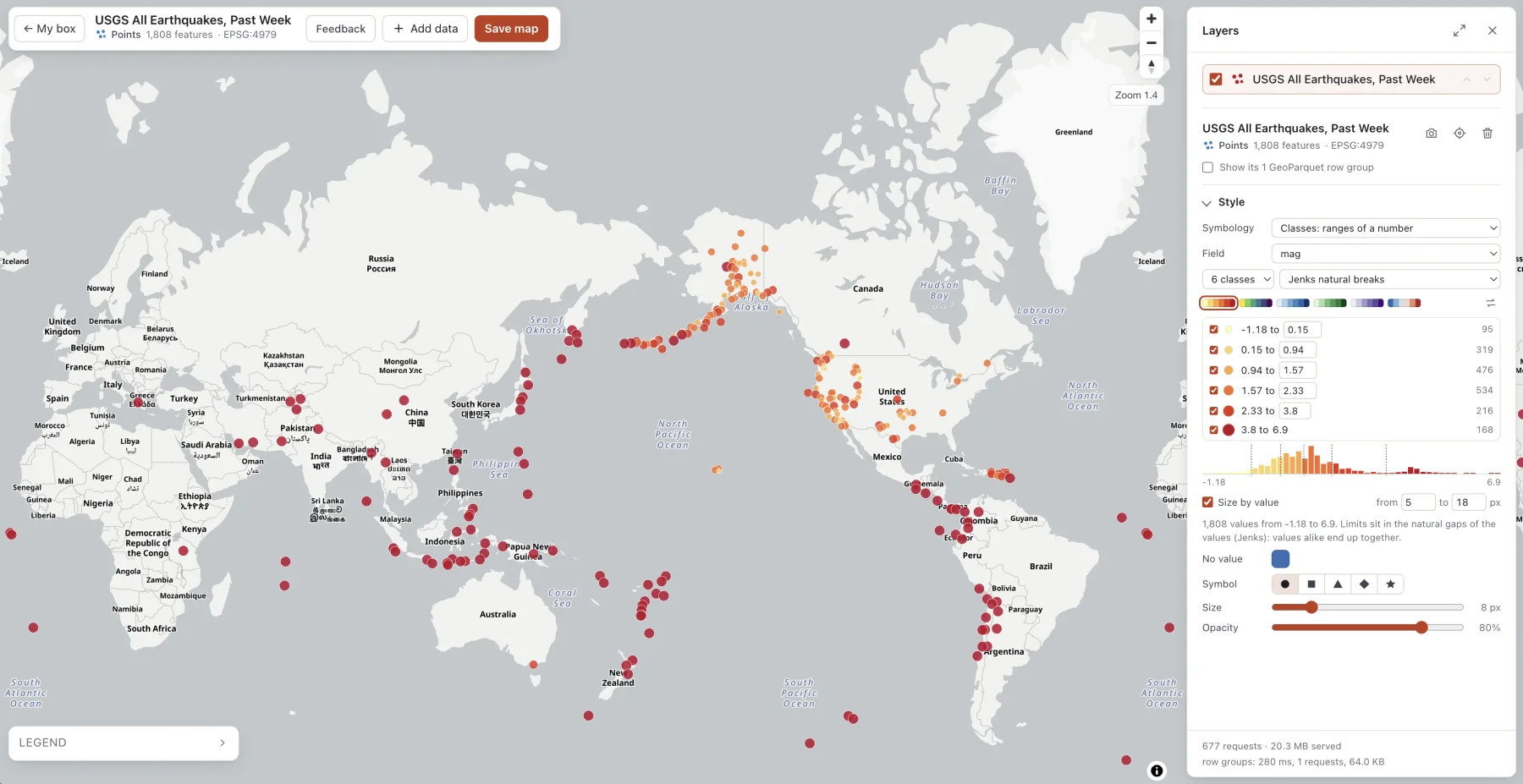
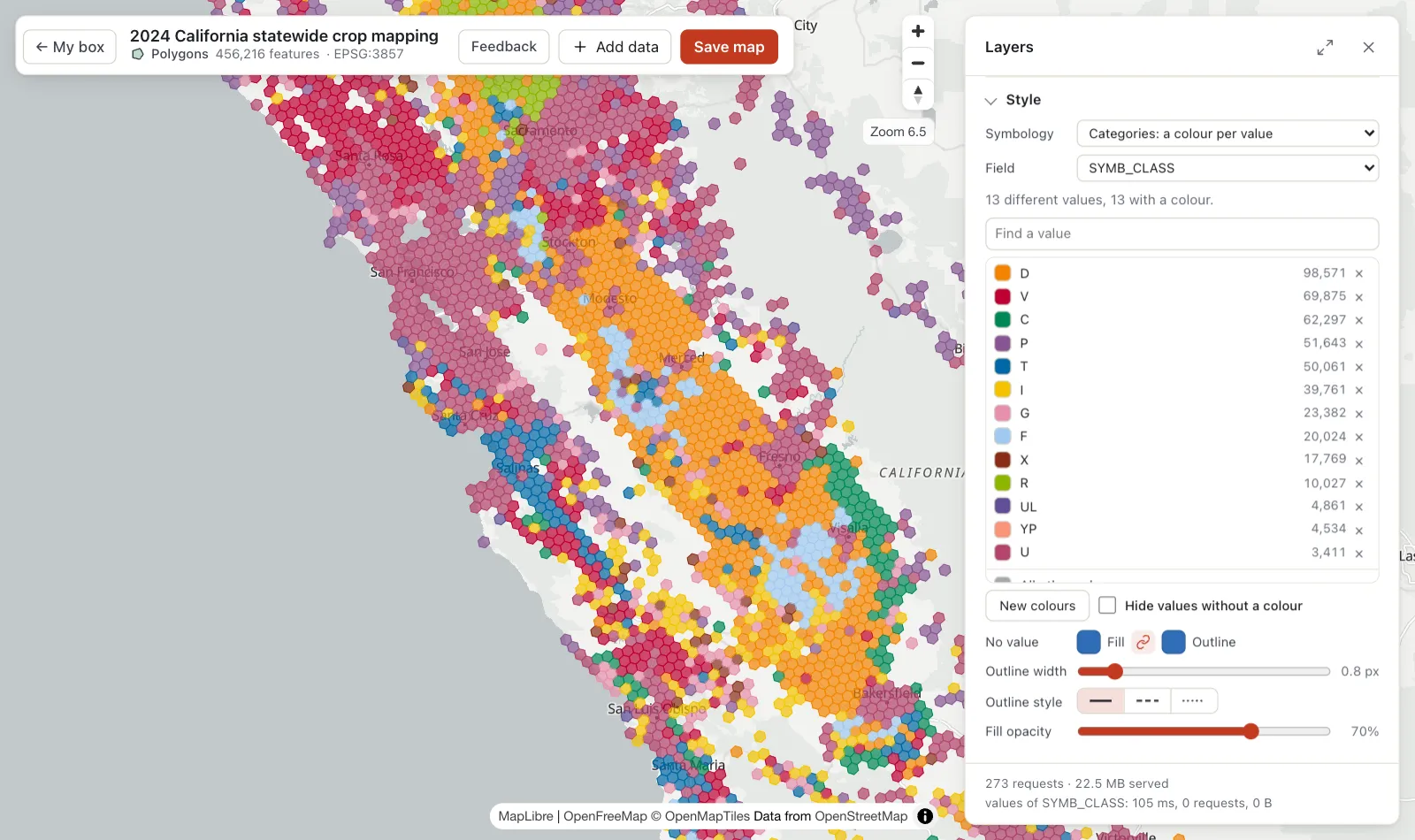
A colour per category, or ranges of a number in classes: equal intervals, quantiles, Jenks natural breaks, standard deviation and more. Pick a palette, type your own limits, size points by value.
Here, a week of earthquakes from the USGS live feed: magnitude in six Jenks classes, bigger points for stronger quakes, and the histogram of the values under the classes. The style is saved with the dataset and every map using it.
Zoomed out, half a million fields would be a blur. Geobox draws hexagons instead, each holding how many features are there and their leading value, then switches to the features themselves as you zoom in.
You choose the zoom where the switch happens. Nothing to compute on your side: the map tiles are built once, when the data arrives.
Type a colleague's email to share a dataset. It appears in their own box: they view it, add it to their maps and download it, and always see your latest version. Not on Geobox yet? They get an invitation and a free box, no password needed.
Make a map public and send its link to anyone, like the map that brought you here. Or publish datasets in an open catalog that QGIS and STAC tools read directly.
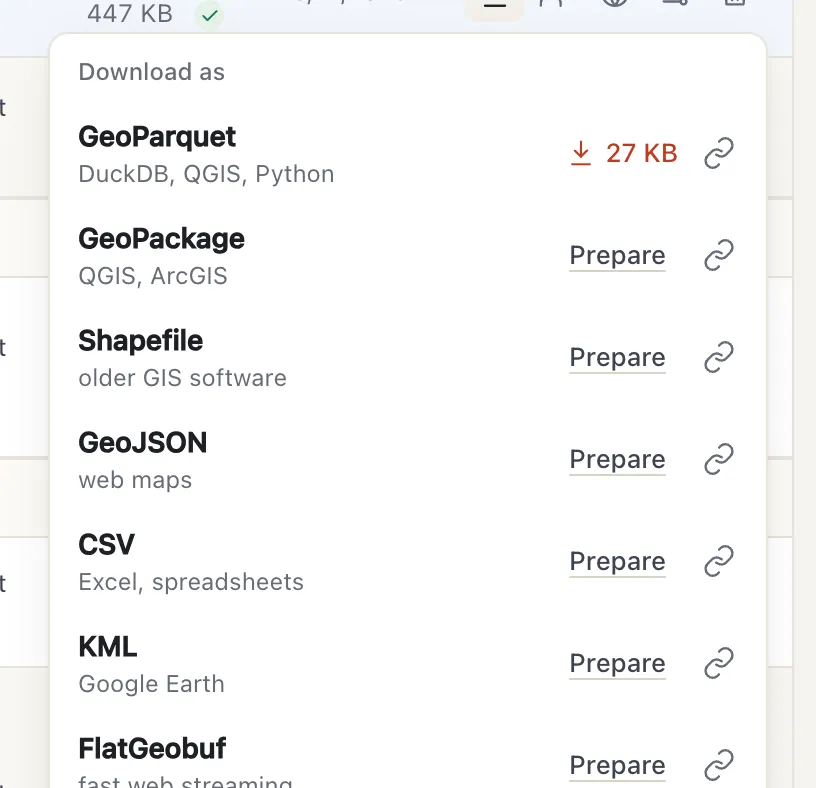
Open your data directly in QGIS, DuckDB or Python with one link, or download it as GeoPackage, Shapefile, GeoJSON, CSV, KML or FlatGeobuf.
Your data stays yours: open formats, no lock-in, and your own storage bucket if you prefer.
Free to start
Every feature, 2 GB for your files, no card. Sign in with your email: we'll send you a code, no password to remember.
Need more room, several workspaces or a team? See the plans.
Private preview
Geobox is being tried by a small group while we make it better. Tell us a little about you and the data you work with, and we'll get back to you.
We use these details only to answer you, and delete them whenever you ask.
Your request is in. We'll write to you at soon.